
.png)
Description
Download ChatGPT Microphone – Voice‑to‑Text Chrome Extension for Faster AI Chatting
Overview
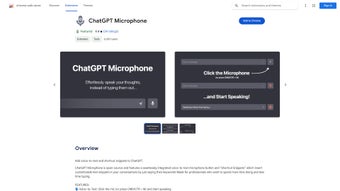
ChatGPT Microphone is a lightweight, open‑source Chrome extension that transforms the way you interact with ChatGPT. By leveraging Google’s Speech Recognition API, the tool converts spoken words into accurate text in real time, letting you dictate prompts, answers, or follow‑up questions without ever touching the keyboard. In addition to voice input, the extension supports customizable shortcut snippets—tiny text blocks that expand when you type a predefined keyword. This dual‑mode approach is ideal for professionals, students, and anyone who wants to speed up their workflow while using ChatGPT. The interface adapts to dark or light mode, matching your browser theme for a comfortable visual experience. Because it runs entirely within Chrome, the extension is secure, does not require any additional software, and receives automatic updates through the Chrome Web Store. As an open‑source project, developers can review the source code, propose enhancements, or tailor the extension to niche use‑cases, ensuring a continuously improving tool that stays aligned with user needs.
Key Features & Benefits
- Real‑time voice‑to‑text conversion using the Speech Recognition API.
- One‑click activation via toolbar button or configurable keyboard shortcut.
- Custom shortcut snippets for instant insertion of frequently used text.
- Dark and light mode toggle to match personal or system preferences.
- Full open‑source codebase on GitHub encouraging community contributions.
- Seamless integration with the official ChatGPT web interface.
- Automatic updates via the Chrome Web Store for continuous improvement.
- Zero‑cost, free to download and use for all Chrome users.
Pros
- Speed and productivity: Speak your thoughts and have them instantly appear as text, cutting typing time dramatically.
- Accuracy: The Speech Recognition API provides high‑precision transcription for most languages and accents.
- Customization: Users can create personal shortcut snippets, making repetitive tasks a single keystroke.
- Lightweight: The extension adds minimal overhead to Chrome, preserving browser performance.
- Open‑source transparency: Security‑conscious users can audit the code and contribute enhancements.
Cons
- Only available for Google Chrome; Firefox, Edge, or Safari users must switch browsers or wait for future ports.
- Voice recognition depends on a stable internet connection, as the API processes audio in the cloud.
- Limited to the languages supported by Google’s Speech API; some niche languages may not be recognized.
- Initial setup of keyboard shortcuts may require a few minutes for users unfamiliar with Chrome extension settings.
Installation, Usage & Compatibility
Getting started with ChatGPT Microphone is straightforward. Follow these steps to install and configure the extension on your Chrome browser:
- Open the Chrome Web Store and search for “ChatGPT Microphone.”
- Click “Add to Chrome” and confirm the permissions request. The extension will appear as a small microphone icon next to the address bar.
- Pin the icon to the toolbar for easy access, if it isn’t already visible.
- Click the microphone icon to open the settings panel. Here you can:
- Enable or disable the voice‑to‑text feature.
- Assign a custom keyboard shortcut (e.g., Ctrl + Shift + M) for instant activation.
- Define shortcut snippets by entering a keyword and the corresponding text block.
- Toggle between dark and light mode to suit your visual preferences.
- Navigate to the official ChatGPT website (chat.openai.com). With the extension active, click the microphone icon or press your chosen shortcut, then start speaking. Your words will appear in the ChatGPT input field in real time.
- To insert a snippet, type the predefined keyword (e.g., “/greeting”) and press the Tab key; the full text expands automatically.
Compatibility: ChatGPT Microphone is built exclusively for Google Chrome on Windows, macOS, Linux, and Chrome OS. Because it runs as a browser extension, there are no separate Windows, Mac, Android, or iOS apps required. Users on mobile Chrome can also install the extension, though voice input performance may vary depending on device microphones.
Updates are delivered automatically through the Chrome Web Store. When a new version is published, Chrome will download and apply it the next time the browser restarts, ensuring you always have the latest security patches and feature enhancements without manual intervention.
FAQ & Conclusion
Is ChatGPT Microphone free to use?
Yes, the extension is completely free. You can download it from the Chrome Web Store at no cost, and there are no hidden fees or subscription plans.
Can I use the extension on browsers other than Chrome?
Currently the extension is built specifically for Google Chrome. While the underlying code is open‑source, a separate version would need to be packaged for Firefox, Edge, or Safari.
How accurate is the speech‑to‑text transcription?
The tool uses Google’s Speech Recognition API, which offers high accuracy for most major languages and dialects. Background noise or a weak internet connection can affect performance, but overall results are reliable for everyday use.
Can I create my own shortcut snippets?
Absolutely. In the settings panel you can define any keyword and associate it with a custom block of text. This is perfect for inserting email signatures, code templates, or frequently asked questions.
Is my voice data stored or shared?
The extension sends audio only to Google’s Speech API for real‑time transcription. No recordings are stored by the extension itself, and the open‑source nature allows you to verify the privacy handling in the code.
Conclusion & Call to Action
ChatGPT Microphone bridges the gap between spoken ideas and AI‑driven text generation, delivering a smoother, faster, and more accessible experience for anyone who relies on ChatGPT daily. Its free price tag, open‑source transparency, and practical shortcut system make it a compelling addition to any Chrome‑based workflow. Whether you’re drafting reports, troubleshooting code, or simply chatting with the model, the ability to speak instead of type can shave minutes off each session, adding up to significant productivity gains over time. Ready to give your ChatGPT conversations a voice? Download ChatGPT Microphone now and start speaking your thoughts directly into the AI.
Guides & Tutorials for ChatGPT Microphone
How to install ChatGPT Microphone
- Click the Preview / Download button above.
- Once redirected, accept the terms and click Install.
- Wait for the ChatGPT Microphone download to finish on your device.
How to use ChatGPT Microphone
This software is primarily used for its core features described above. Open the app after installation to explore its capabilities.
User Reviews for ChatGPT Microphone 0
No reviews found




